

What is this?
Hireflix publishes a skill file at hireflixsl.mintlify.app/skill.md. It contains everything your AI tool needs to talk to the Hireflix API directly: the GraphQL schema and example queries. Once you provide your API key, you can ask it to do things in plain English instead of writing GraphQL yourself. That includes building a position from scratch (name, questions, video or image prompts, intro/outro) just by filling in a short template in chat. We’ve tested the skill with Claude, ChatGPT / Codex, and Gemini (only via the Google Antigravity desktop app). We recommend Claude, as it works best with Hireflix. Quick path:- Complete setup: add the skill to your AI tool.
- Create a position via chat: fill in the position template, your AI tool builds it.
- Explore your account: ask about positions, stats, and interview results.
You’ll need a Hireflix API key to use the skill. If you don’t have one yet, follow the Quickstart to create an account and generate a key. In Claude, you’ll also need to allow the Hireflix websites (see setup below) before starting your chat session.
Setup
Choose your AI tool and follow the steps. Each tool also has its own page in the AI tools section.- Claude (recommended)
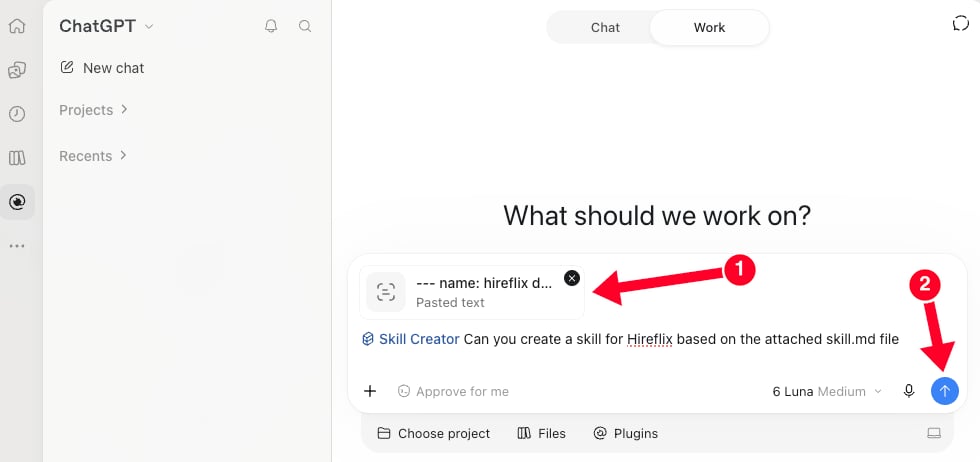
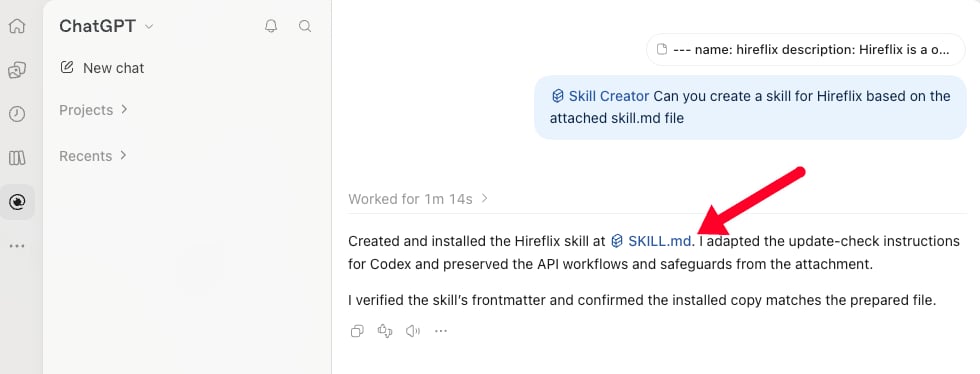
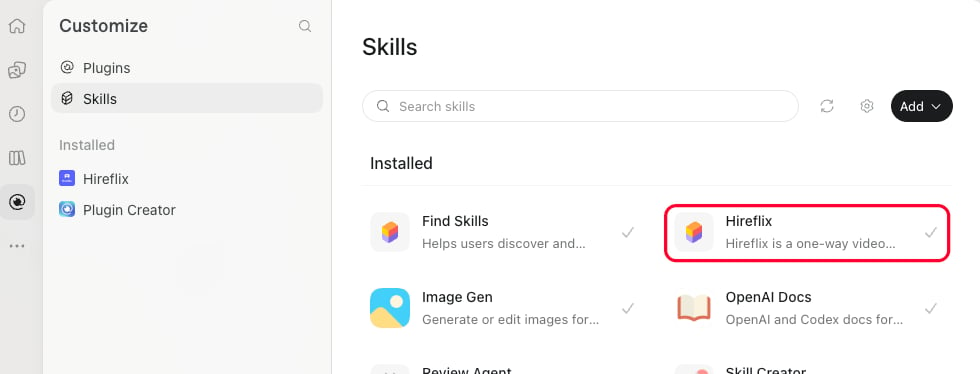
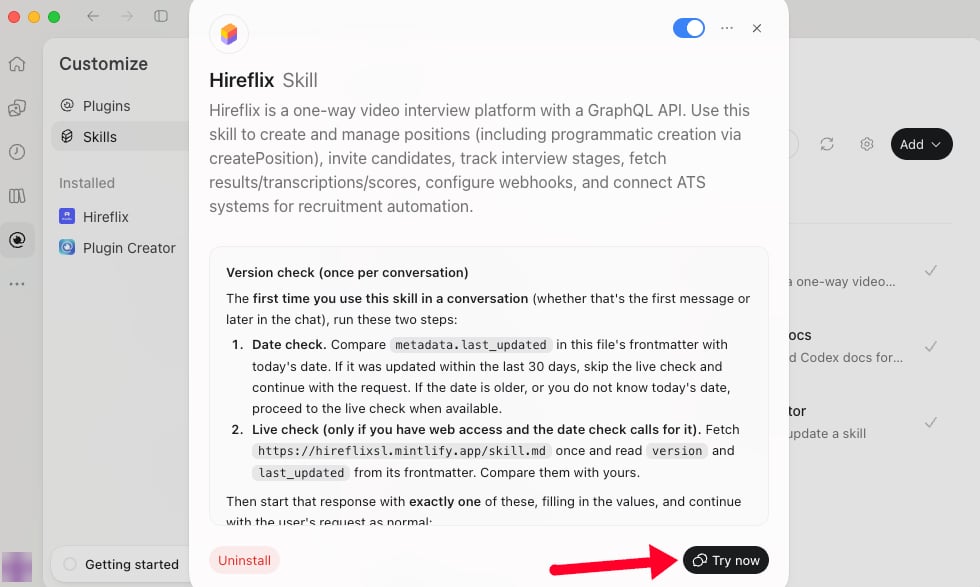
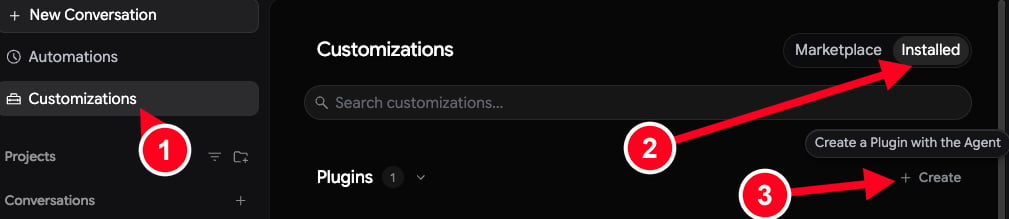
- ChatGPT / Codex
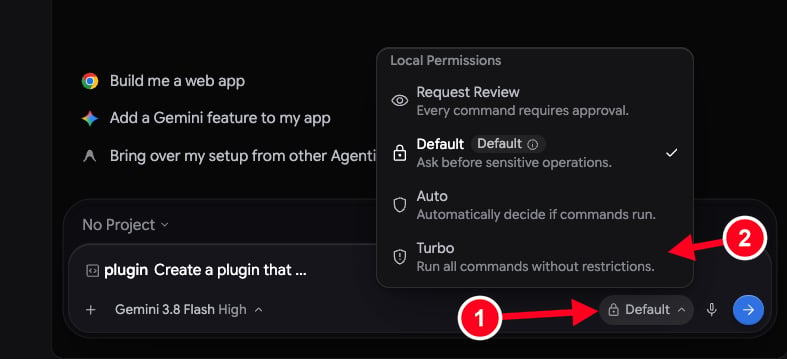
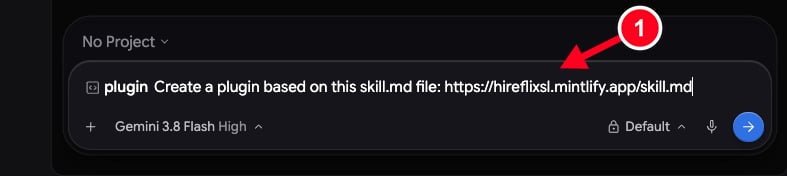
- Gemini (Antigravity)
1
Allow the Hireflix websites in Claude
In Claude, click your account name and open Settings → Capabilities. Under Create and edit files, make sure Use the internet while making files is turned on. Then click Manage next to Allowed websites.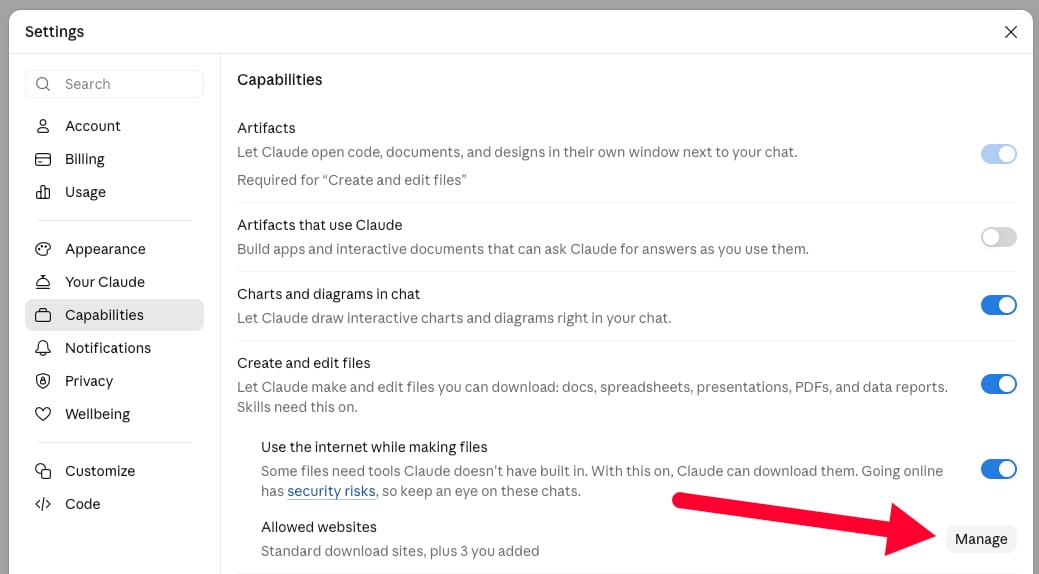
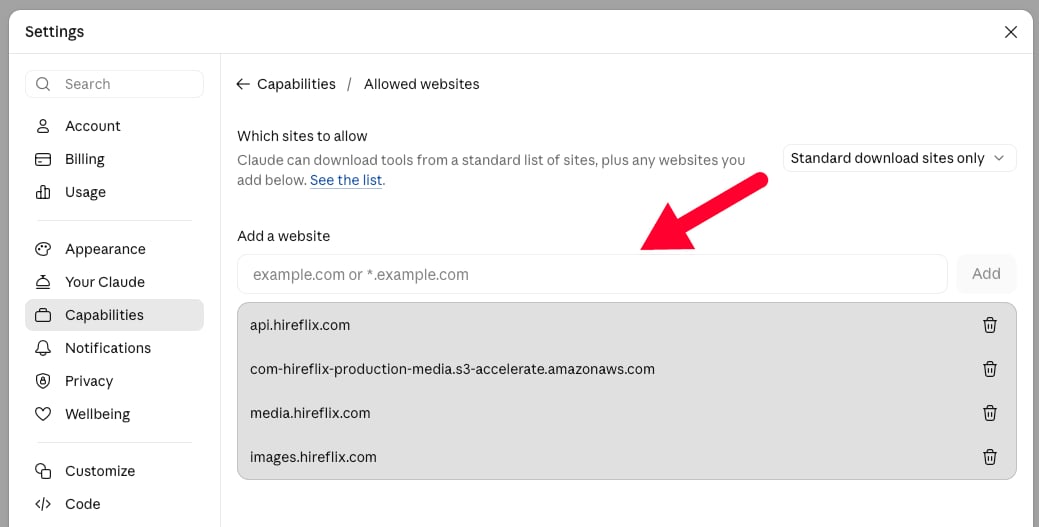
api.hireflix.com— the GraphQL API endpoint Claude talks to for every query and mutation.media.hireflix.com— where signed video playback URLs resolve; needed whenever Claude fetches or plays back an interview video.com-hireflix-production-media.s3-accelerate.amazonaws.com— the signed S3 URL Hireflix issues for video uploads (intro, outro, or per-question videos).images.hireflix.com— where uploaded question images are served; needed whenever Claude fetches or shows you an image from an image prompt question. (Uploading an image goes throughapi.hireflix.com, so it doesn’t need this domain.)
2
Get the Hireflix skill file
Open hireflixsl.mintlify.app/skill.md and save the page as
skill.md. You can hit CTRL + S or on Mac CMD + S to store the page as skill.md on your machine.3
Upload the skill to Claude
In Claude, click your account name and open Settings. Click Customize in the left menu and open the Skills tab. Then click the Add button in the top right and choose Upload skill.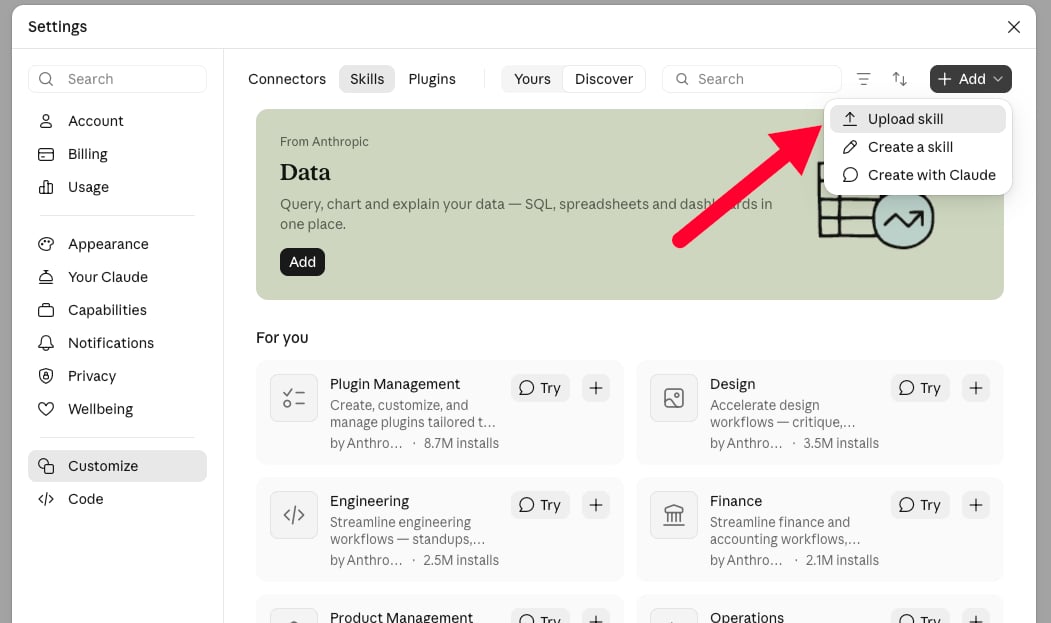
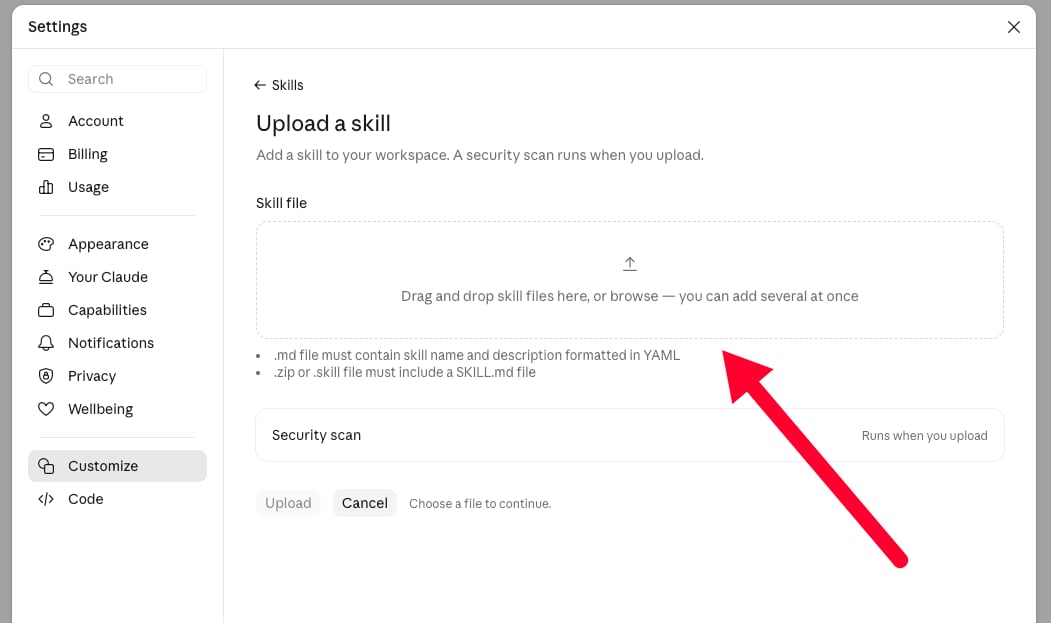
skill.md file you just saved into the Skill file box (or click it to browse for the file), then click Upload. Claude runs a security scan on the skill when you upload it.4
Start a new chat and add your API key
Start a new chat (so the allowed websites from step 1 apply), and give Claude your Hireflix API key so it can authenticate against
api.hireflix.com. See the Quickstart if you still need to create one.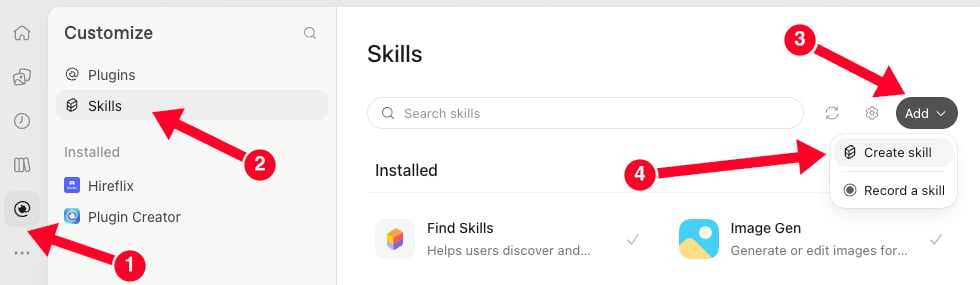

Explore your account
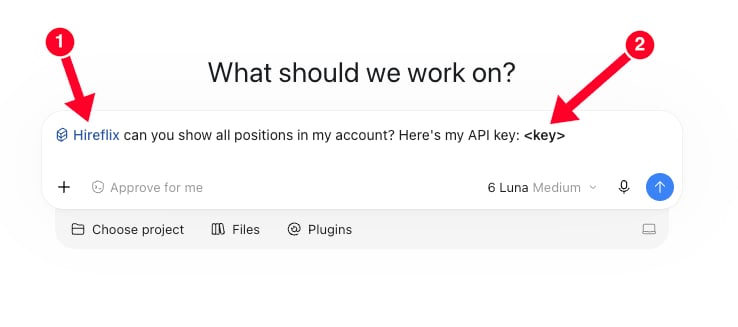
With your API key set for the session, start with a simple question: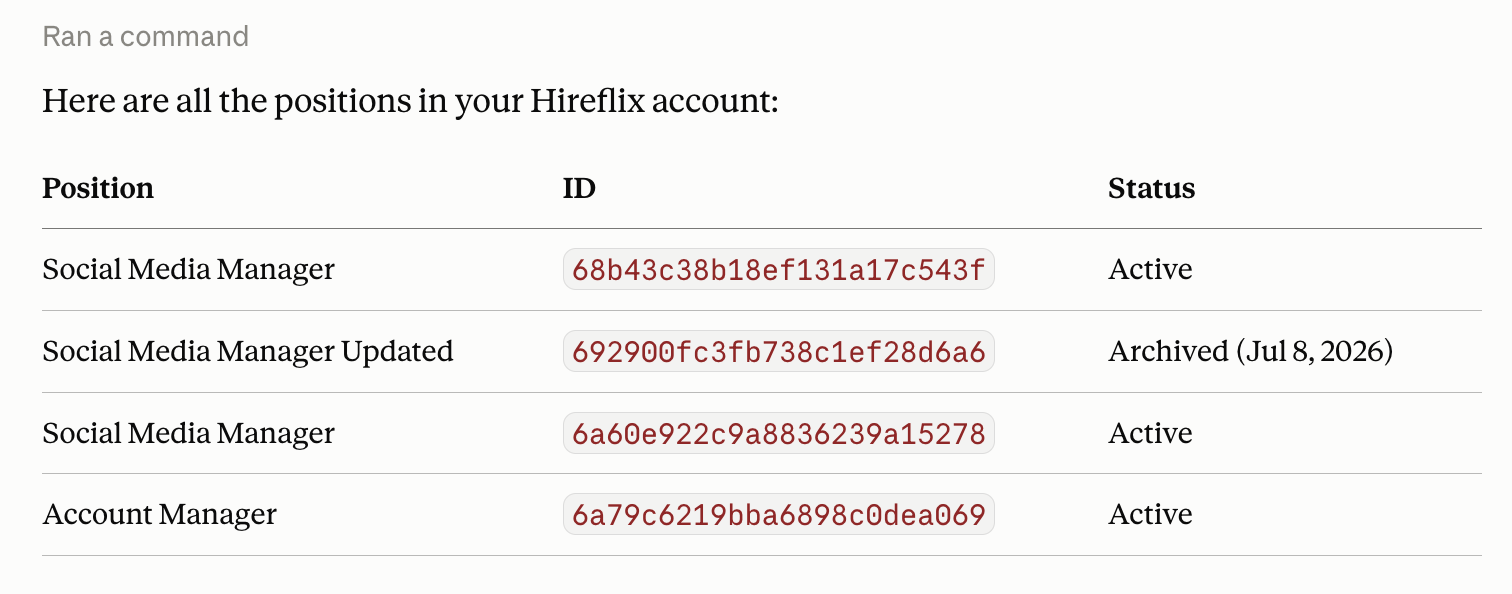
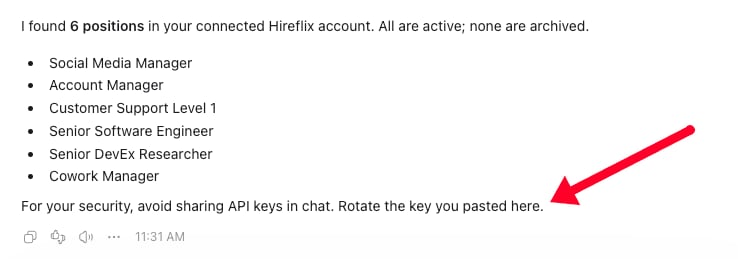
Claude's response after being asked to list all positions
What’s next?
Create a position via chat
Fill in one template and let your AI tool build the whole position, including videos and images.
Use the Hireflix MCP
Connect your AI tool to your Hireflix account with the MCP server: no API key needed.