

When to use this
Use this when a webhook doesn’t seem to be firing as expected — a candidate finished an interview but your endpoint never got thePOST, or you want to confirm your endpoint is responding correctly. Delivery logs show each attempt Hireflix made to reach your callback URL, including the exact payload sent and the response your endpoint returned.
Restricted to the Admin/Owner of your Hireflix account.
Two ways to view delivery logs
You can check deliveries in the Hireflix dashboard or in the log viewer of the API playground. Both show the same deliveries; the log viewer is faster when you need to find a specific delivery.Option 1: Log viewer in the API playground
Open the webhook log viewer
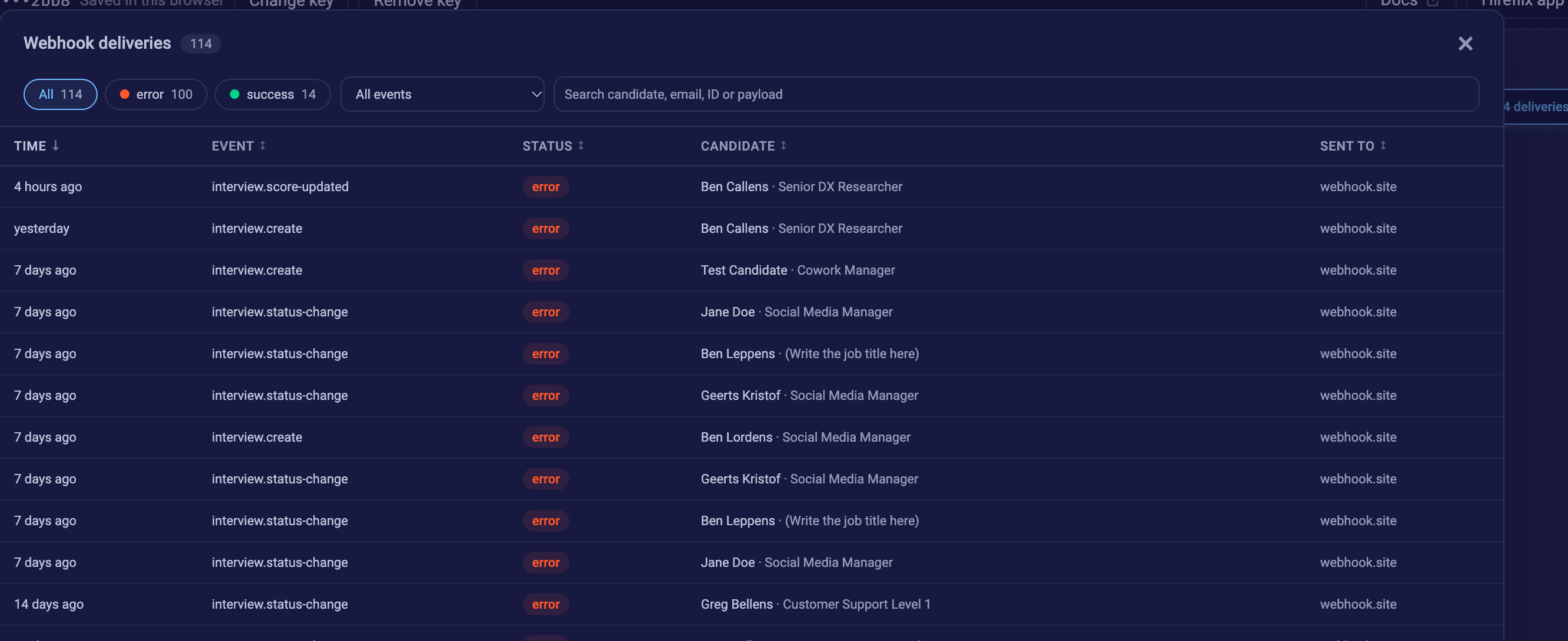
Pick a webhook, run the query and inspect every delivery in a table: filter on errors, search payloads and see the request and response.
FetchWebhookLogs query. Then:
- Add your Hireflix API key in the bar at the top. The playground remembers it in this browser, so you only do this once.
-
In the Variables panel below the query, pick one of your webhooks from the
webhookIddropdown.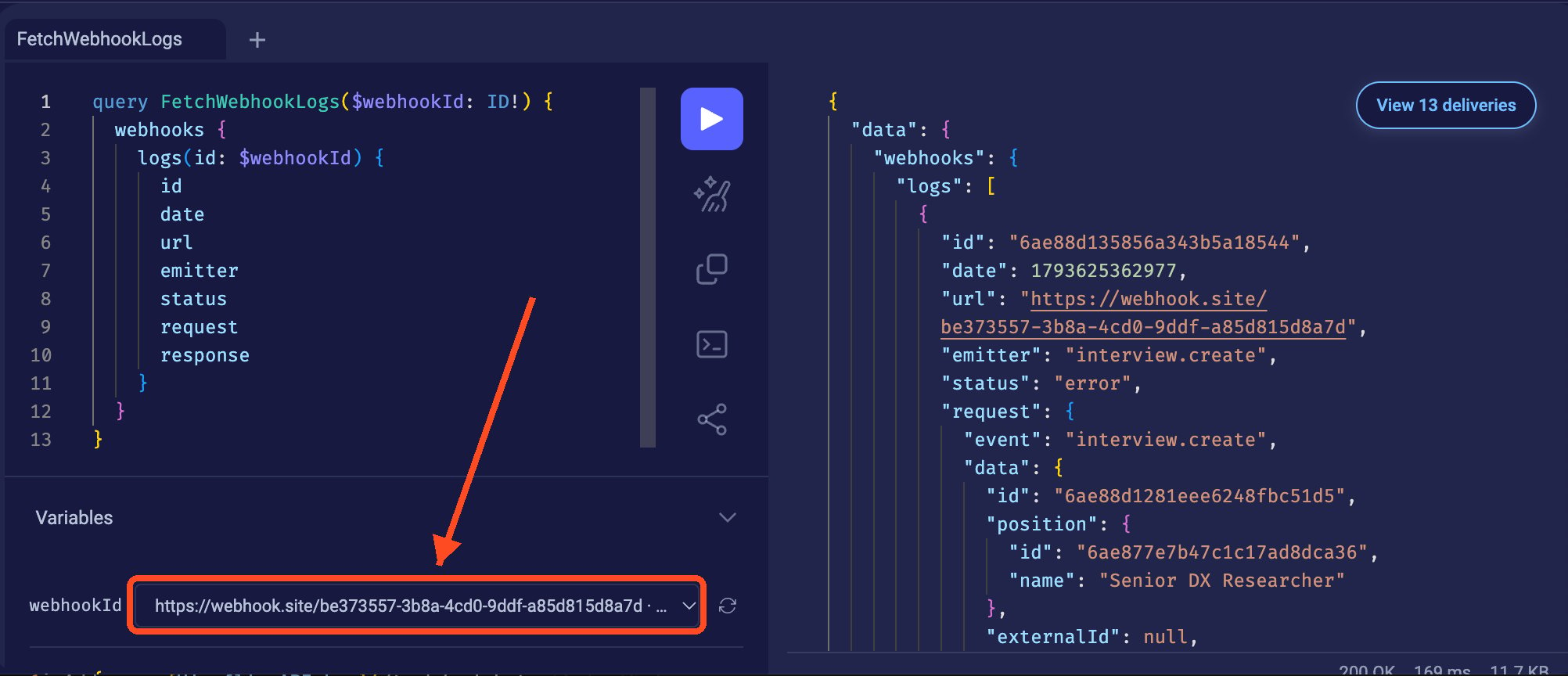
- Press ▶ to run the query, then click View N deliveries above the results.
Option 2: Hireflix dashboard
Go to Profile → Webhooks in your Admin dashboard. Under List of webhooks, each webhook shows its recent deliveries with their status, event type, event ID and creation time.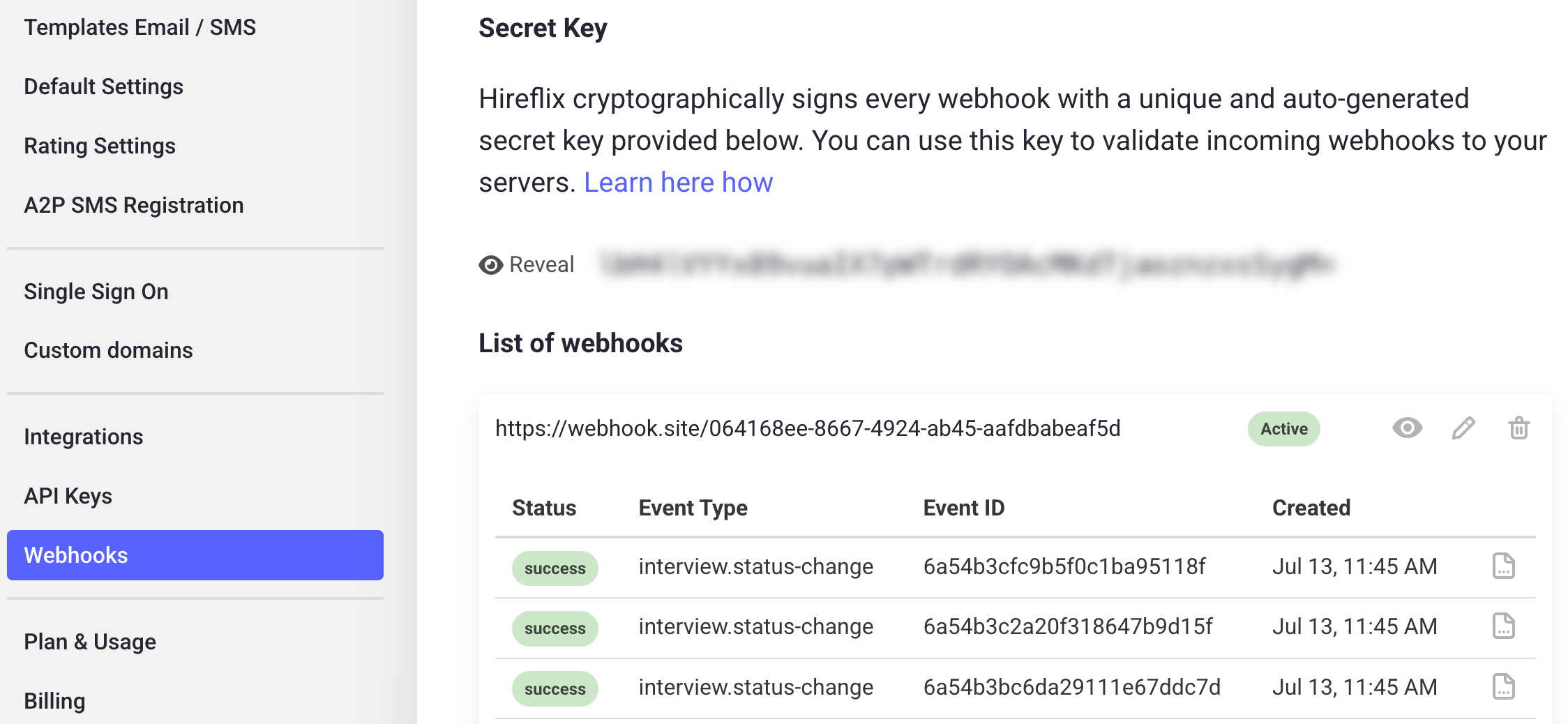
Fetch logs with the GraphQL API
Use thewebhooks.logs query when you want to fetch delivery logs from your own code, for example to build monitoring or alerting.
Before you start
You’ll need the webhook’sid. If you don’t have it, see Fetching Webhooks. Don’t forget to update the Hireflix API Key in the headers.
GraphQL Request
Explanation
- id – the log entry’s identifier.
- date – when the delivery attempt was made (epoch ms).
- url – the callback URL the event was sent to at the time of delivery.
- emitter – the originating service/event for this delivery.
- status –
"success"or"error"for the delivery attempt. This is Hireflix’s own verdict, not your endpoint’s raw HTTP status code. - request – the full outgoing request payload (JSON).
- response – the full response your endpoint returned (JSON), or
nullif no response was captured (e.g. the endpoint was unreachable).
Example Response
Learn next?
Let’s learn how to verify the authenticity of webhook events.